An app for the people who run a choir.
It records who came to rehearsal, keeps the calendar and the sheet music together, and gives
the choir its own group chat. Members use it on their phones. You can run it from a browser as well.
It works the same way for an orchestra, a band or an ensemble.
Browse a sample choir in your browser, as its management or as one of its singers. You don’t need to install anything or make an account.
At rehearsal
Attendance
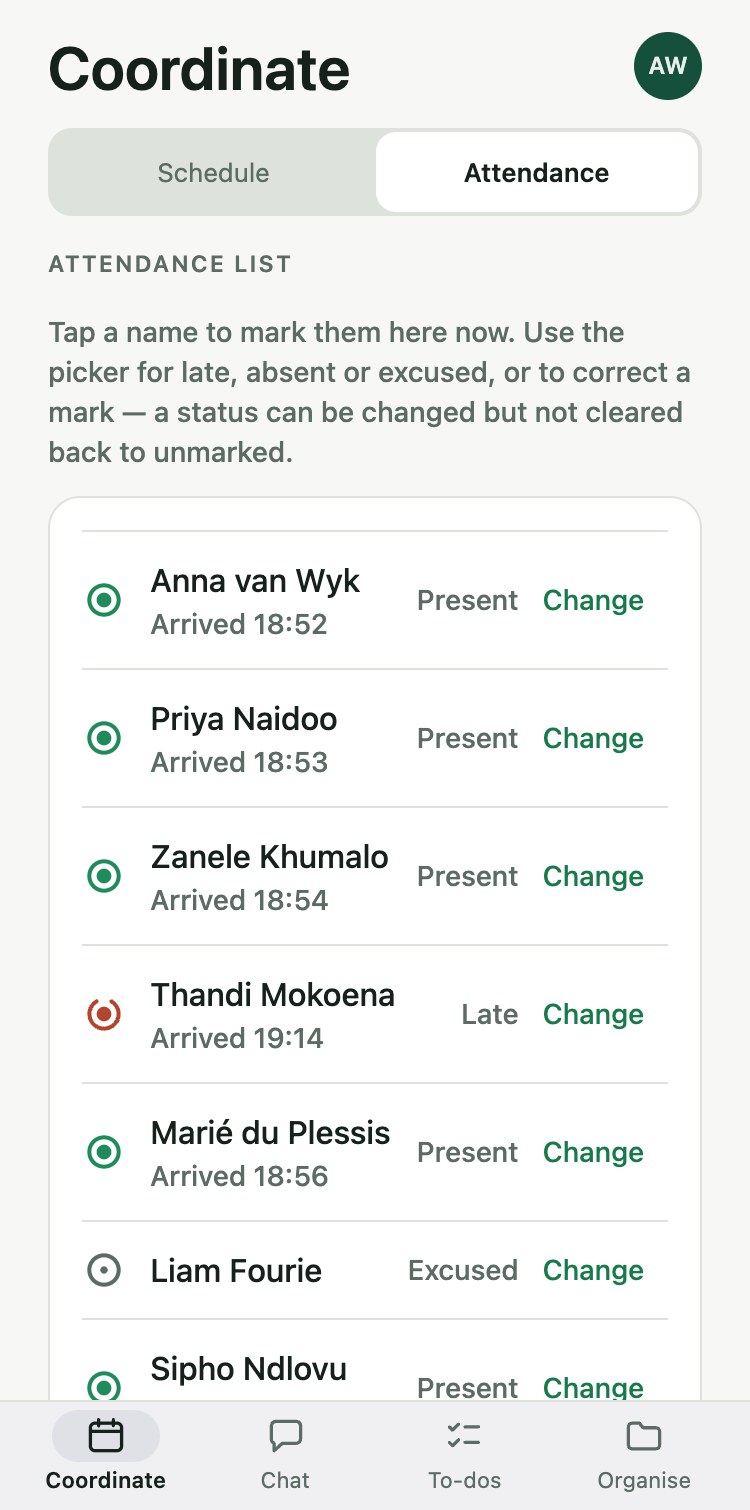
Members scan a QR code with the app as they walk in, and the attendance register fills itself in. You can total attendance over any dates you choose.
When rehearsal starts you open attendance in the app and it shows a QR code. Hold up your phone, or put the code on a laptop or the screen at the front. Anyone who scans more than fifteen minutes after the start is marked late, and you can move that cut-off for any event.
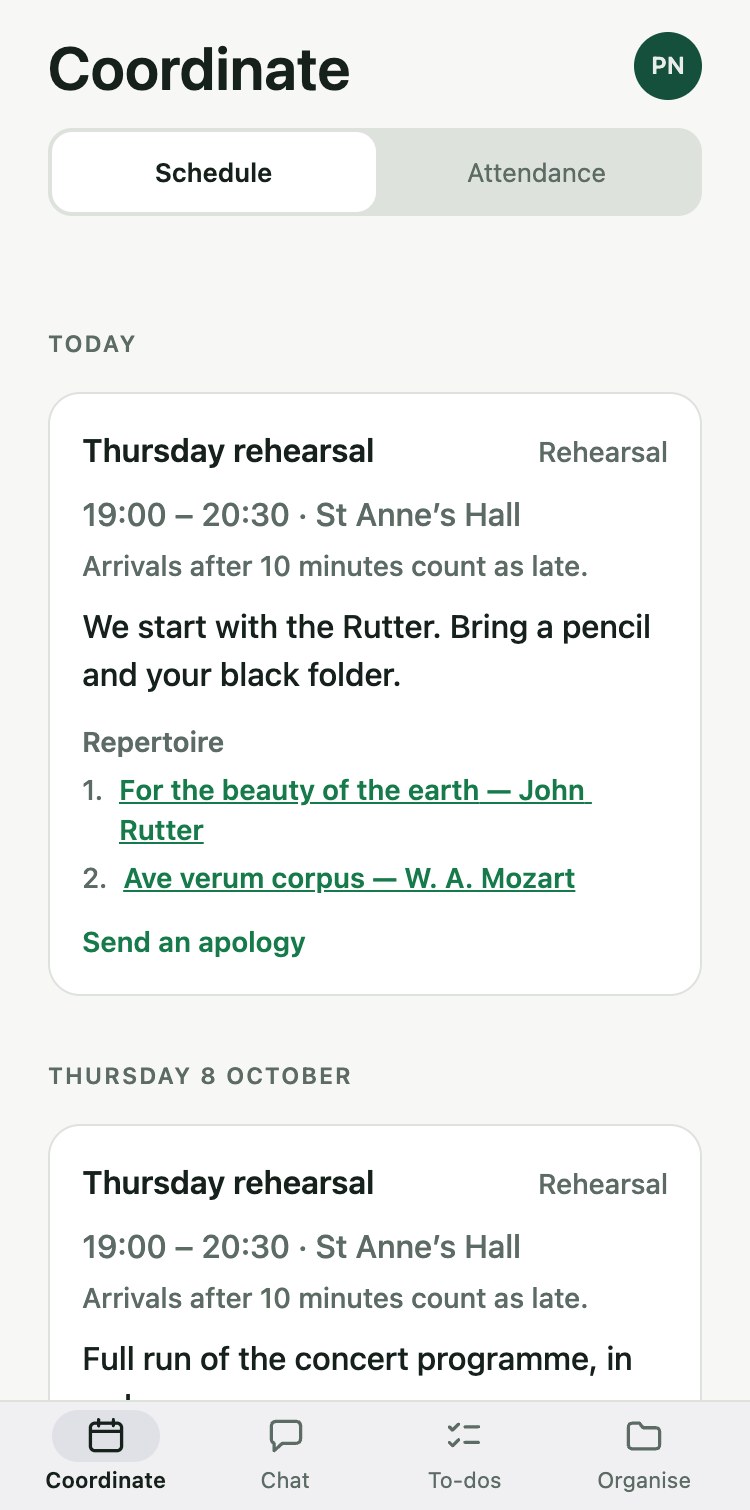
Someone will forget their phone, so you can mark a name by hand. Someone else will know on Tuesday that they can’t make Thursday. They send an apology in the app, and you see it before the rehearsal begins.
The five marks you will see next to a name. Unmarked means nobody has recorded anything for that person yet.
Between rehearsals
Most of running a choir happens on the other six days: telling people what is on, what to bring and what has changed.
Calendar
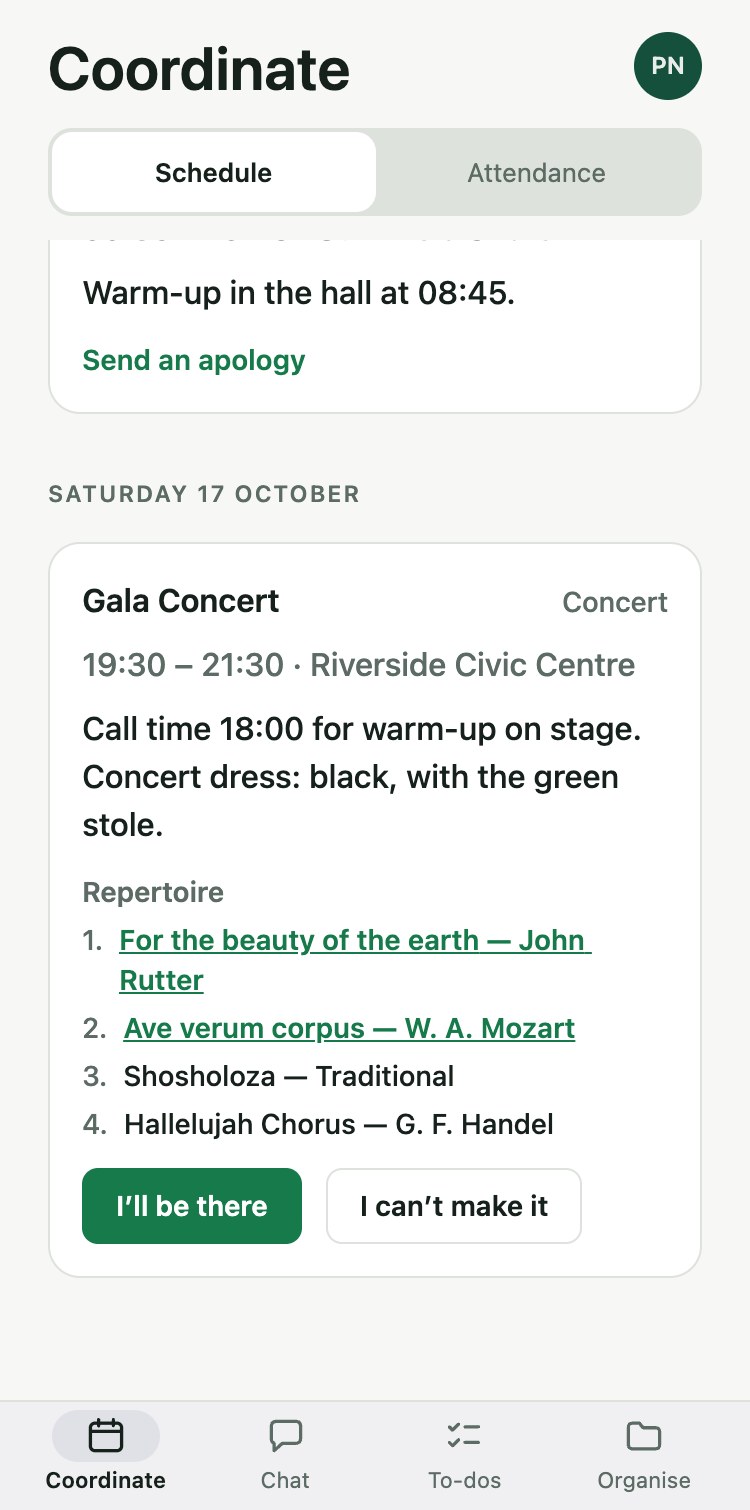
Every rehearsal and concert, with your notes and the pieces in the order you will sing them. A piece can link to its sheet music, and members reply from their phones when you need a headcount.
Chat
One conversation for the whole choir and smaller ones for a section or a tour party. A member you remove from the choir is out of the chat too.
Jobs and files
A concert is months of small jobs, and in most choirs they sit in one person’s head.
To-dos
Jobs with a name and a date next to them: book the hall, collect the programme copy, fetch the risers.
Projects
The jobs for one concert, tour or fundraiser kept together, so you can see what is still open in the weeks before it.
Documents
Minutes, programmes and sheet music as PDFs that every member can open.
You can also work in a browser, at portal.atchoir.com. We call it the management console. It is where you load a list of members from a spreadsheet, approve new ones and read a term’s attendance.
Your members’ information
Ages and birthdays
We never ask anyone’s age, and a birthday is held only if a member adds their own. If your choir has members under 18, you confirm once, for the whole choir, that you have the permission of their parents or guardians.
Where the records are kept
Your choir’s records are stored under European Union law, because the database we use has no African location. South Africa’s privacy law, POPIA, allows this where the protection abroad is substantially similar to its own.
Who the records belong to
Under POPIA your choir is responsible for its members’ information, and we handle it only on your instructions. Any member can delete their own account from the app. Their name and email address go; the choir’s attendance history stays, with no name on it.
Getting your choir set up
The choir pays for AtChoir as a whole. Singers pay nothing, and there is nowhere in the app to pay. Write to us with the choir’s name and roughly how many members you have.
We then set the choir up and email you a link. You choose a password and add your members. Each of them is emailed a link, chooses a password too and installs the app, free, from the App Store or Google Play.